Light-opsIndustrial 3D print control solution

Print farms · Printer factories · Klipper compatible

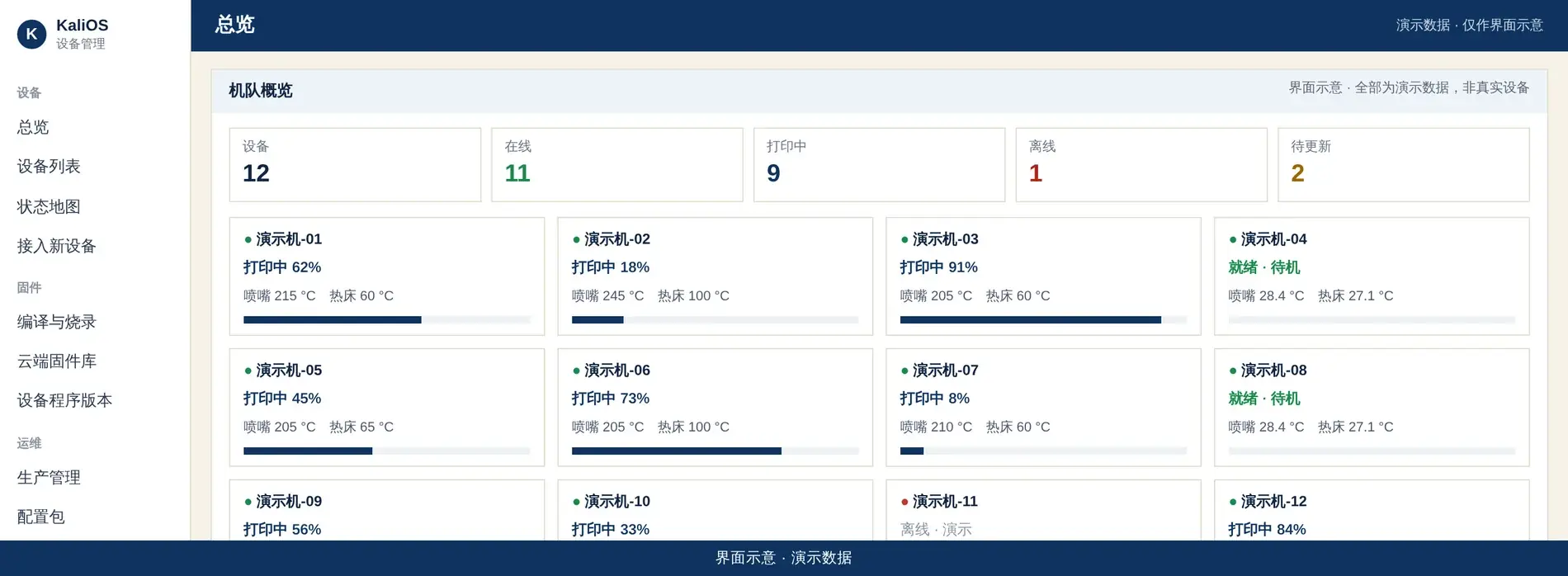
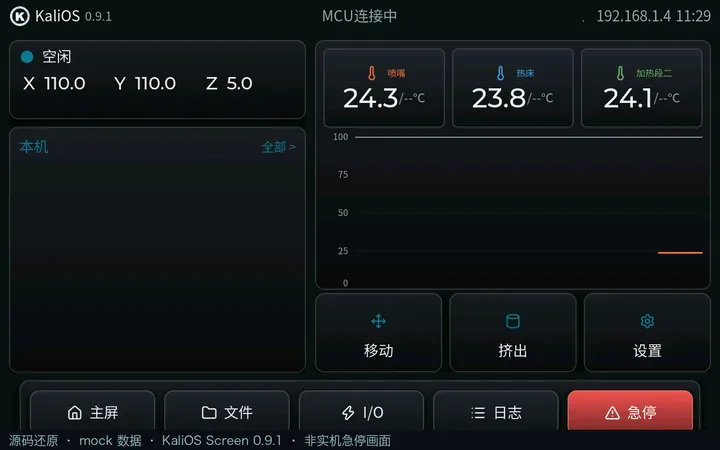
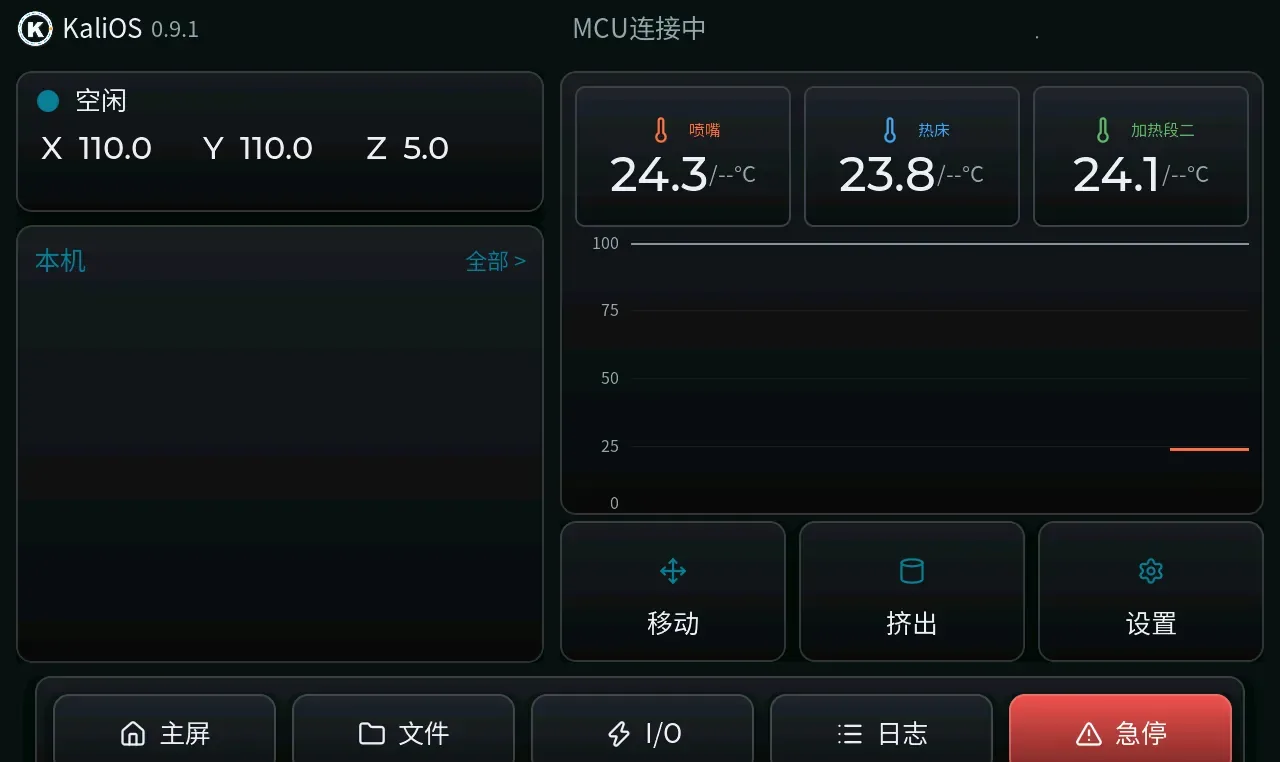
Fleet console overview (UI mock, demo data)Kali Screen home (source mock, UI illustration)

UI mock · demo data — not real devices or customers; background is illustrative, not company photography.

Solution

Print farms,
And printer factories.

One system for a room of printers — or a production line.

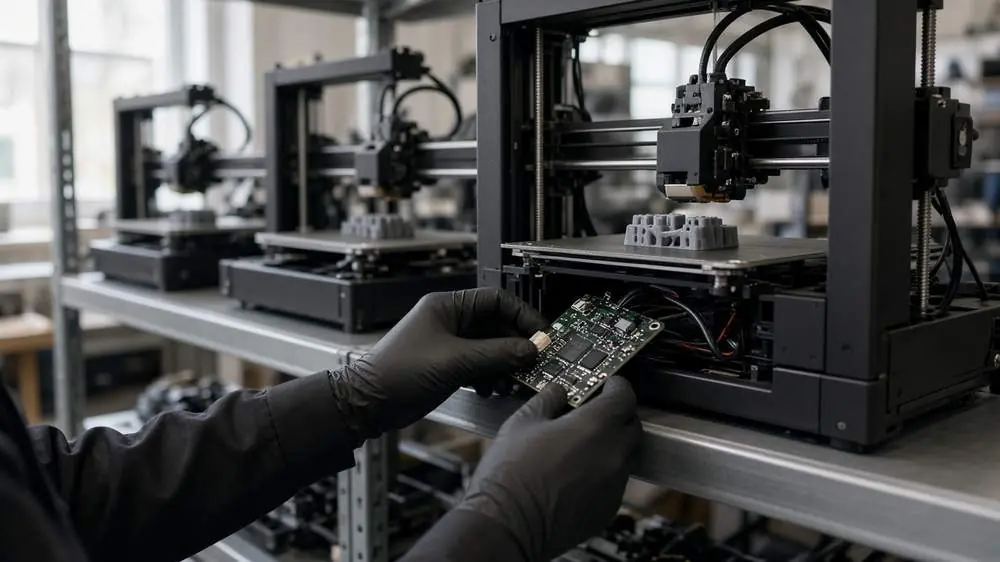
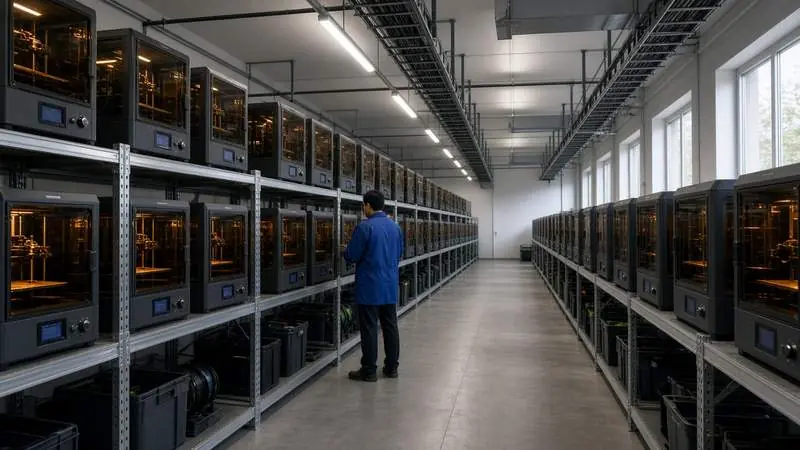
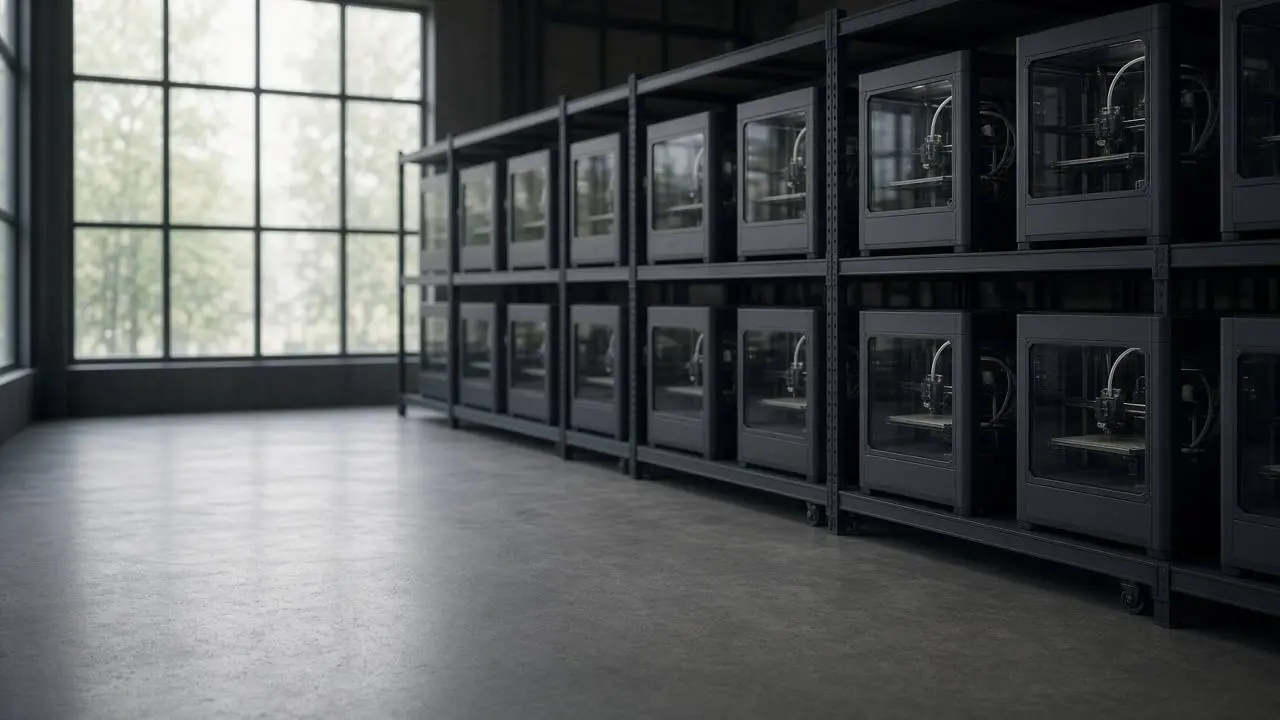
3D print farm

Even with many machines — see them clearly and manage remotely.

  • Unified multi-machine monitoringOnline, fault, and offline — one dashboard
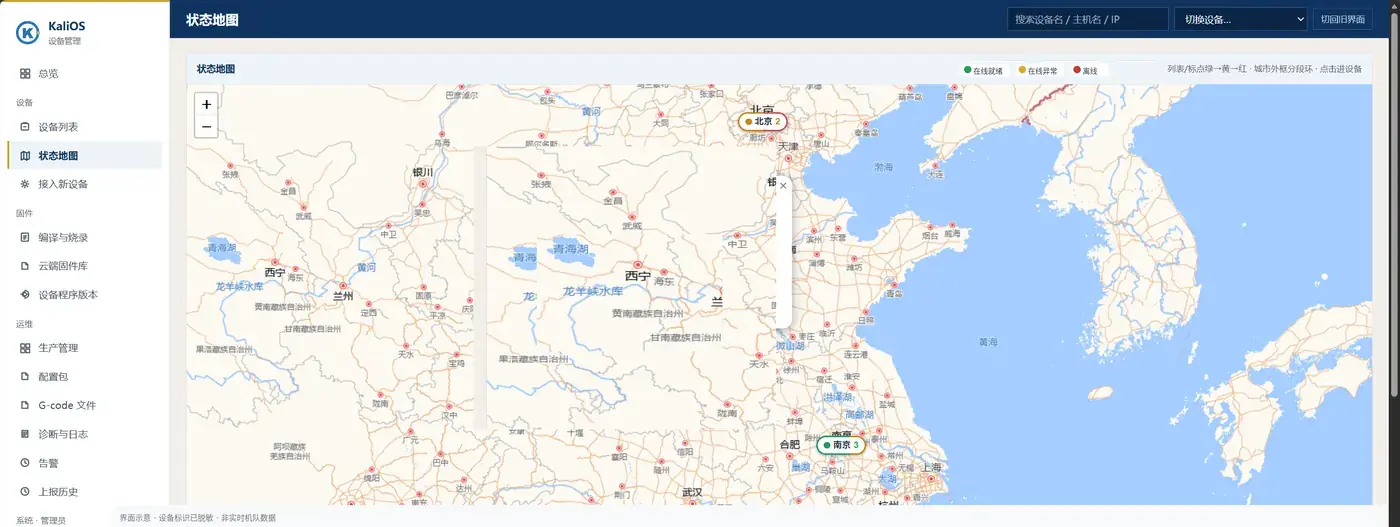
  • Status mapDevices cluster by city on the map
  • Remote configEdit config online and push to devices
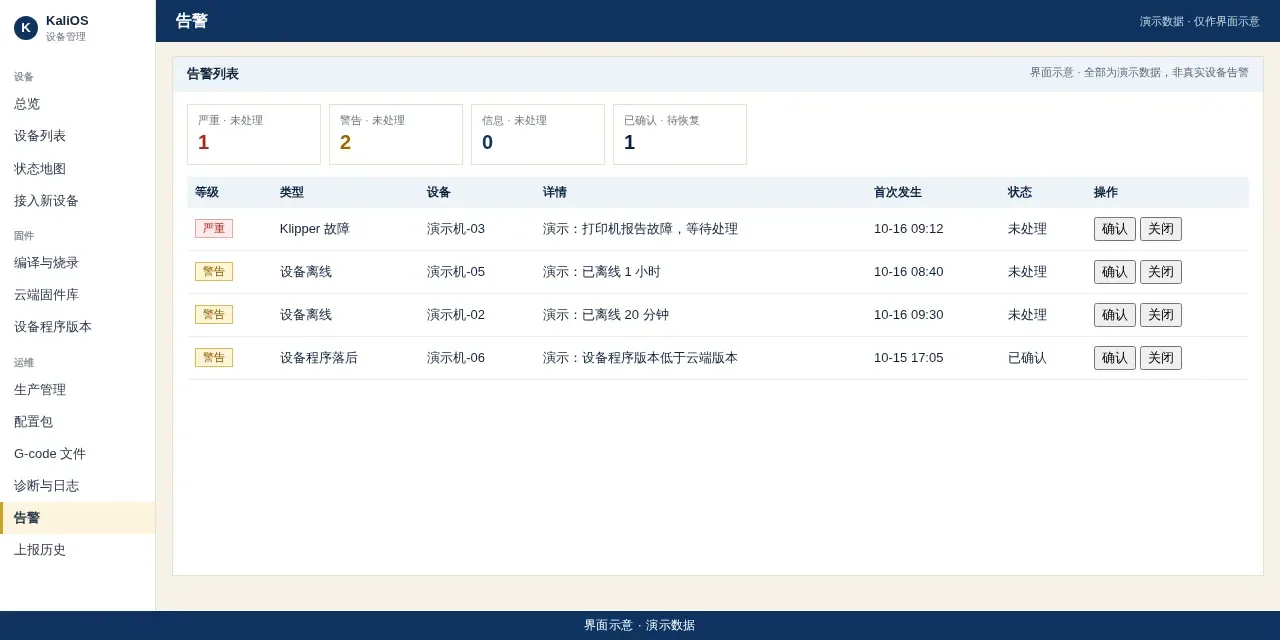
  • Offline alertsOffline devices and Klipper faults listed automatically
  • Centralized G-codeCentral files — push per device

3D printer factory

Production, branding, and config — same console.

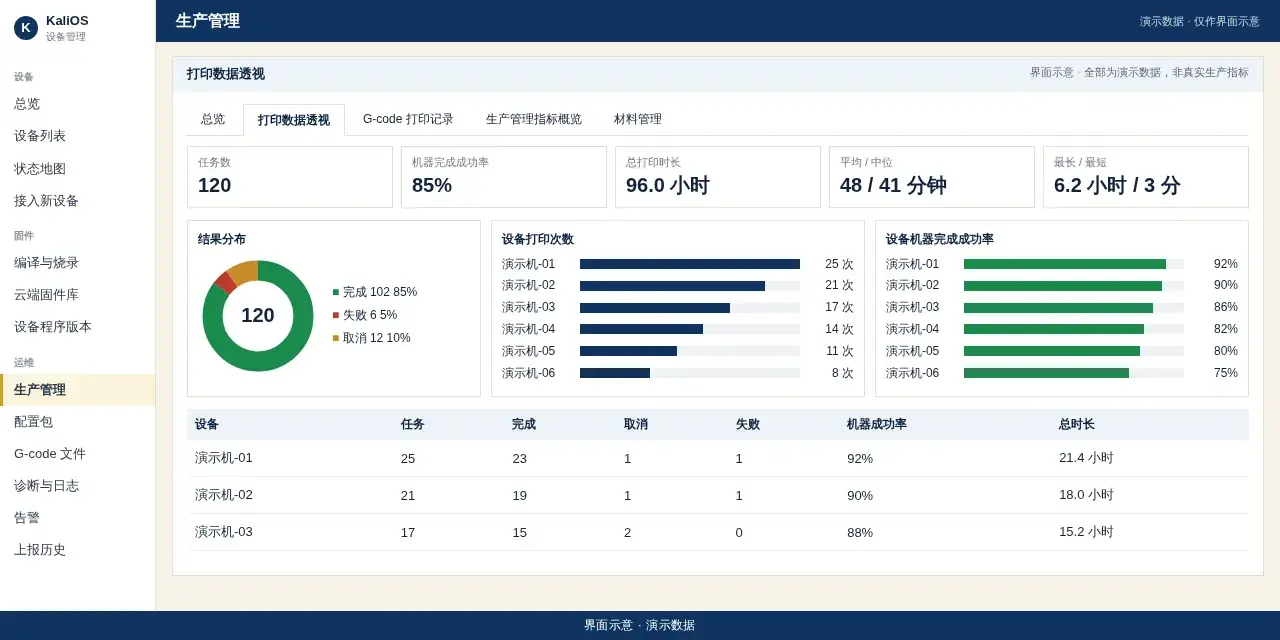
  • ProductionPrint jobs, complete/cancel, duration stats
  • Device profileModel, board, MCU, wiring — kept in the device profile
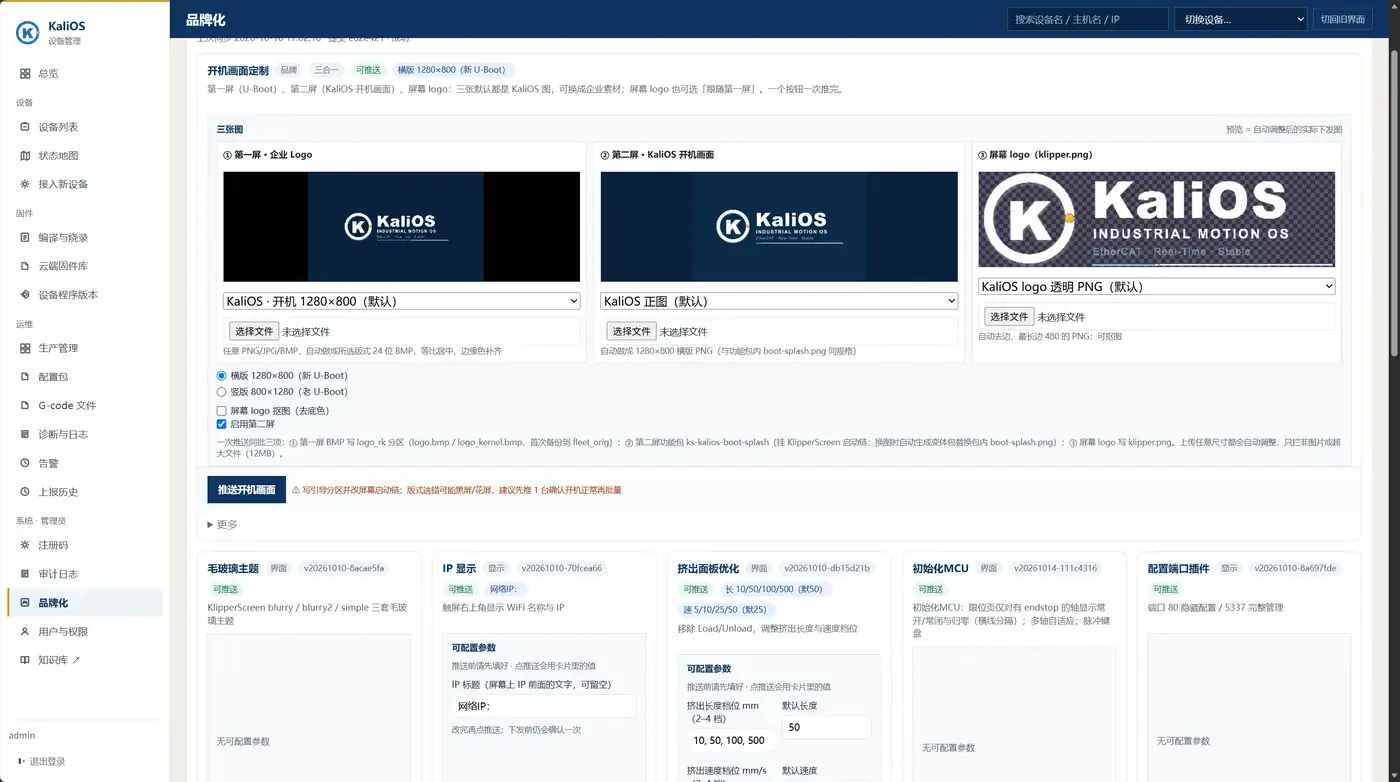
  • Branding / OEMCustom boot screens — pushable on site
  • Config versions & rollbackEvery save keeps a version — roll back when needed
  • Kali ScreenOn-device touch control UI

Device screen

Kali Screen。
The face of industrial equipment.

On-device touch UI: status at a glance, common actions in one tap, consistent screens.

  • Fixed navigation — hard to get lostAlways on the bottom: Home, Files, I/O, Logs, E-stop
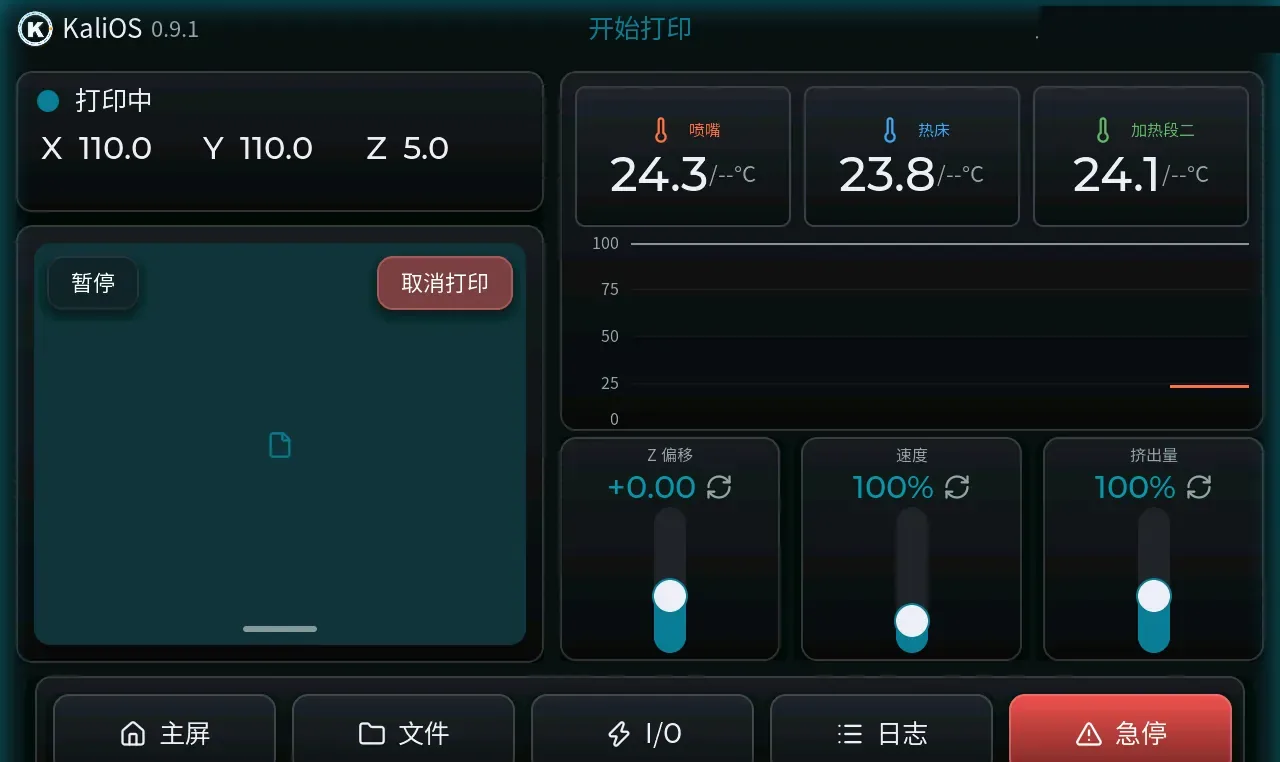
  • Intervene mid-printPause/cancel; sliders for Z-offset, speed, extrusion
  • Consistent UI with swappable themesMultiple themes and UI languages built in
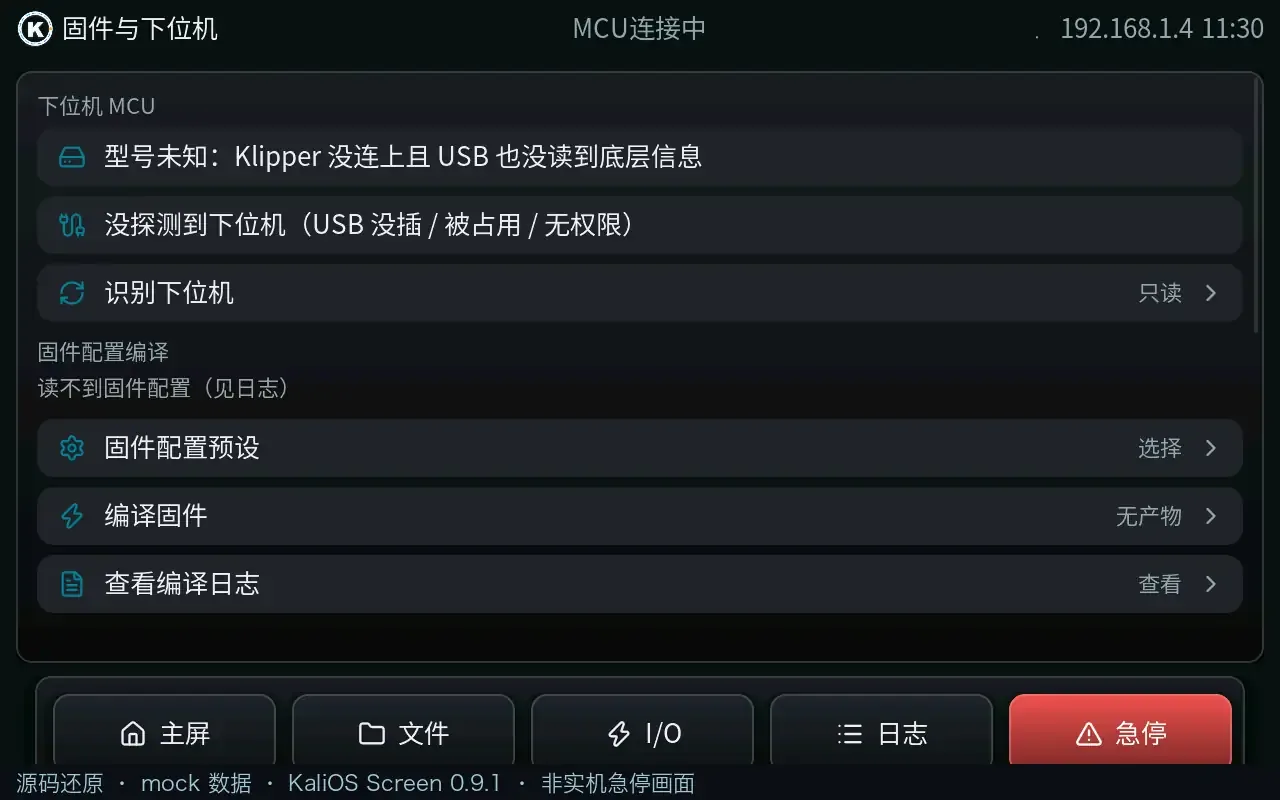
  • Manage the MCU from the device screenDetect MCU, pick firmware profile, build firmware
Version
0.9.1
Dev
C + LVGL 9.3
For
Device touchscreen
Resolution
1280×800
Kali Screen home
HomeStatus, XYZ, nozzle/bed and heater 2/3 temps with curves; fixed bottom nav: Home, Files, I/O, Logs, E-stop.
Kali Screen while printing
PrintingWhile printing: pause/cancel on the left; Z-offset, speed, and extrusion sliders bottom-right.
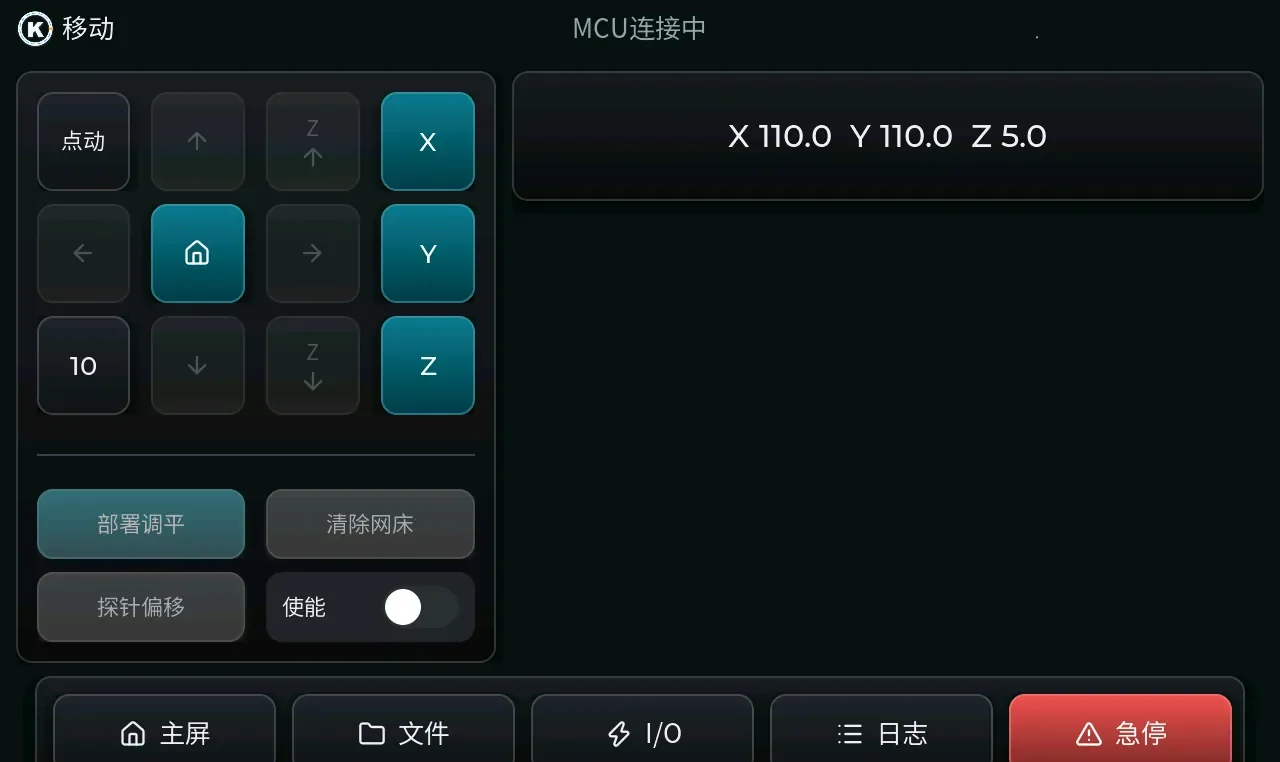
Kali Screen move
MoveJog and step size; XYZ select & home; bed mesh deploy/clear, probe offset, motor enable.
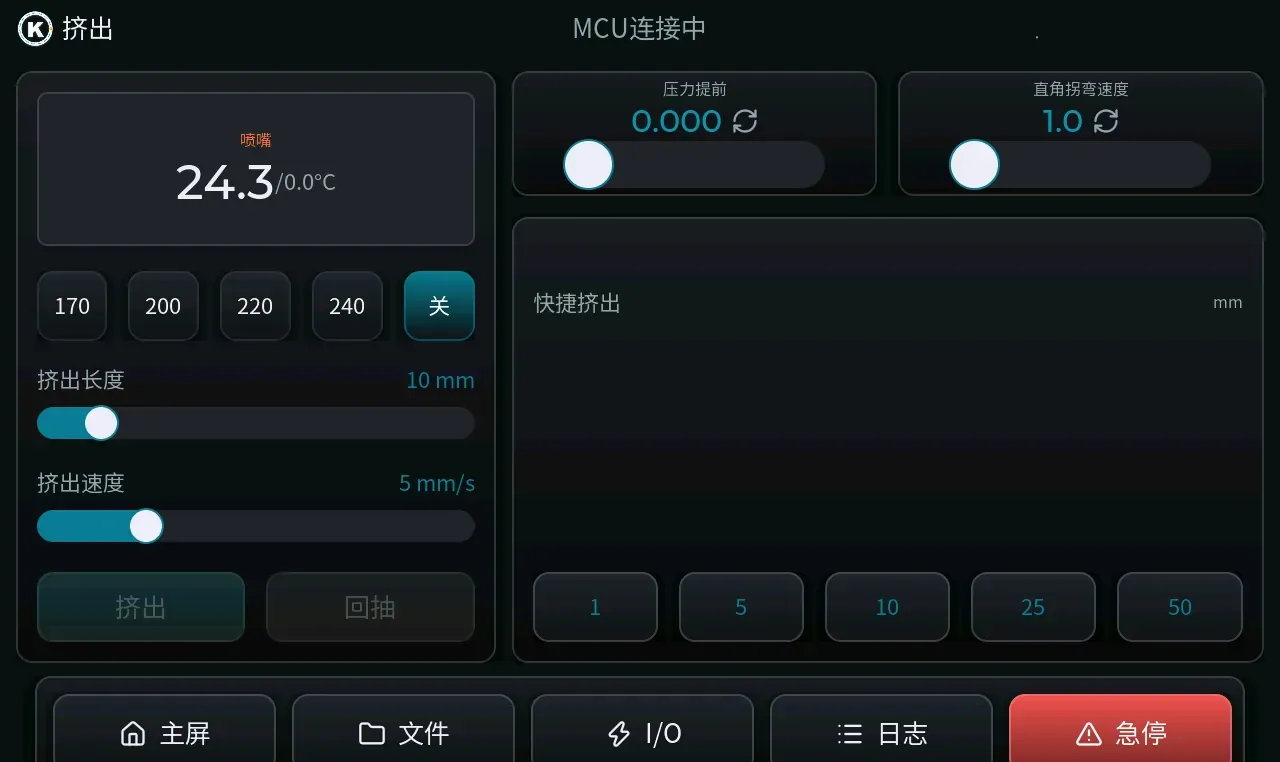
Kali Screen extrusion
ExtrusionNozzle presets 170/200/220/240 and off; extrusion length/speed; pressure advance; square-corner velocity; quick extrude 1/5/10/25/50 mm.
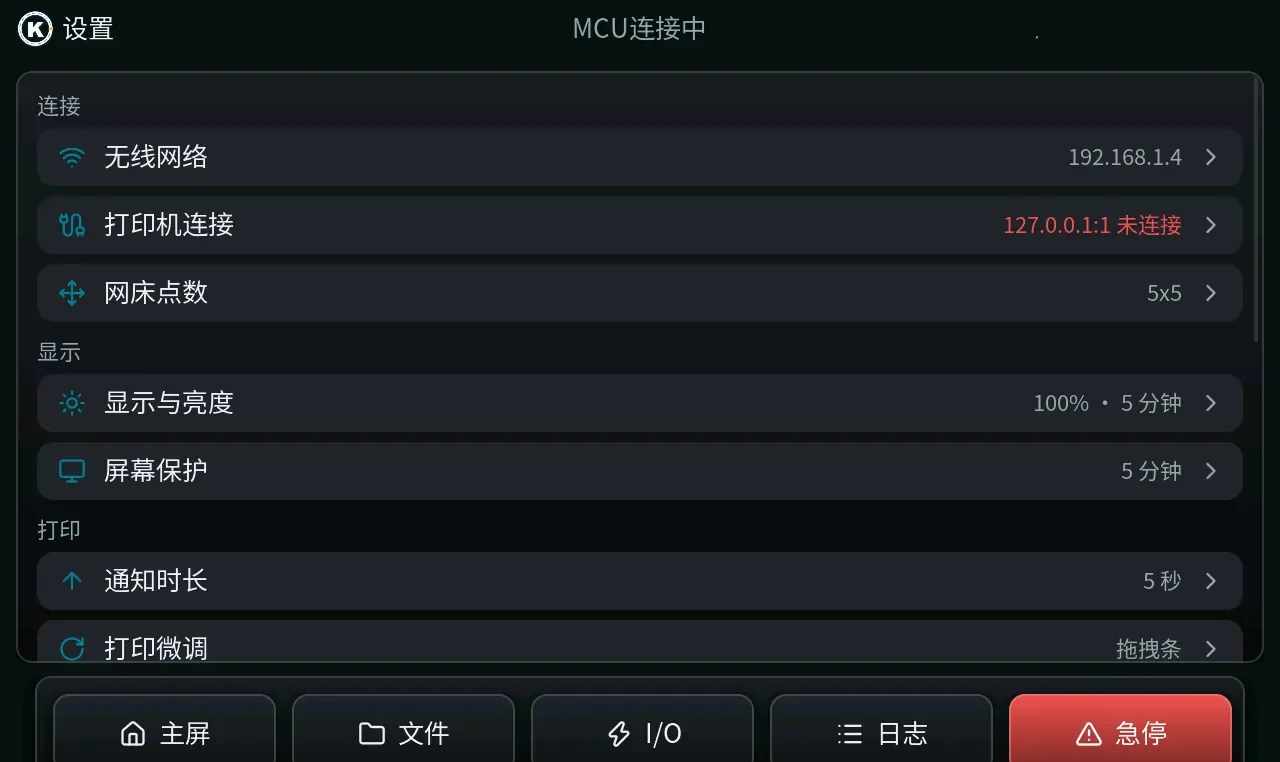
Kali Screen settings
SettingsWi-Fi, printer links, mesh points, display & brightness, screensaver, notification duration, print tweaks.
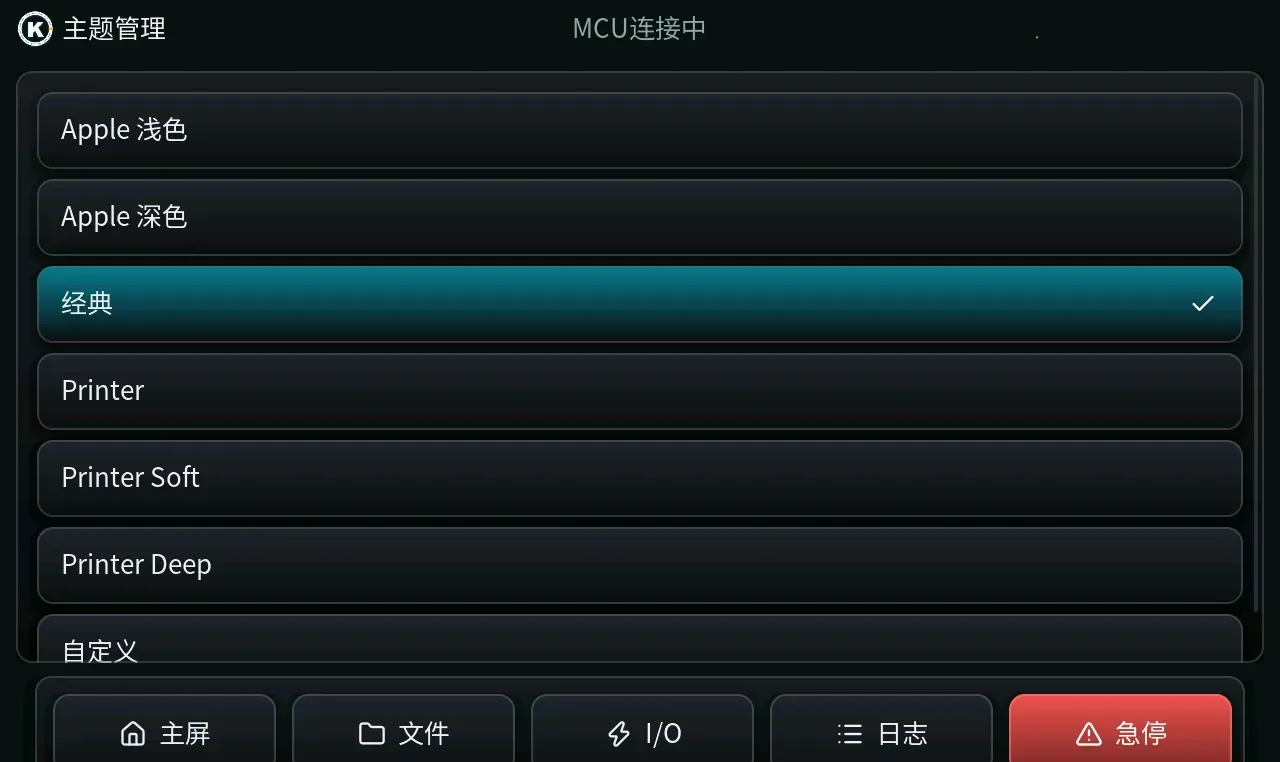
Kali Screen themes
ThemeBuilt-in Apple Light, Apple Dark, Classic, Printer, Printer Soft, Printer Deep, plus custom.
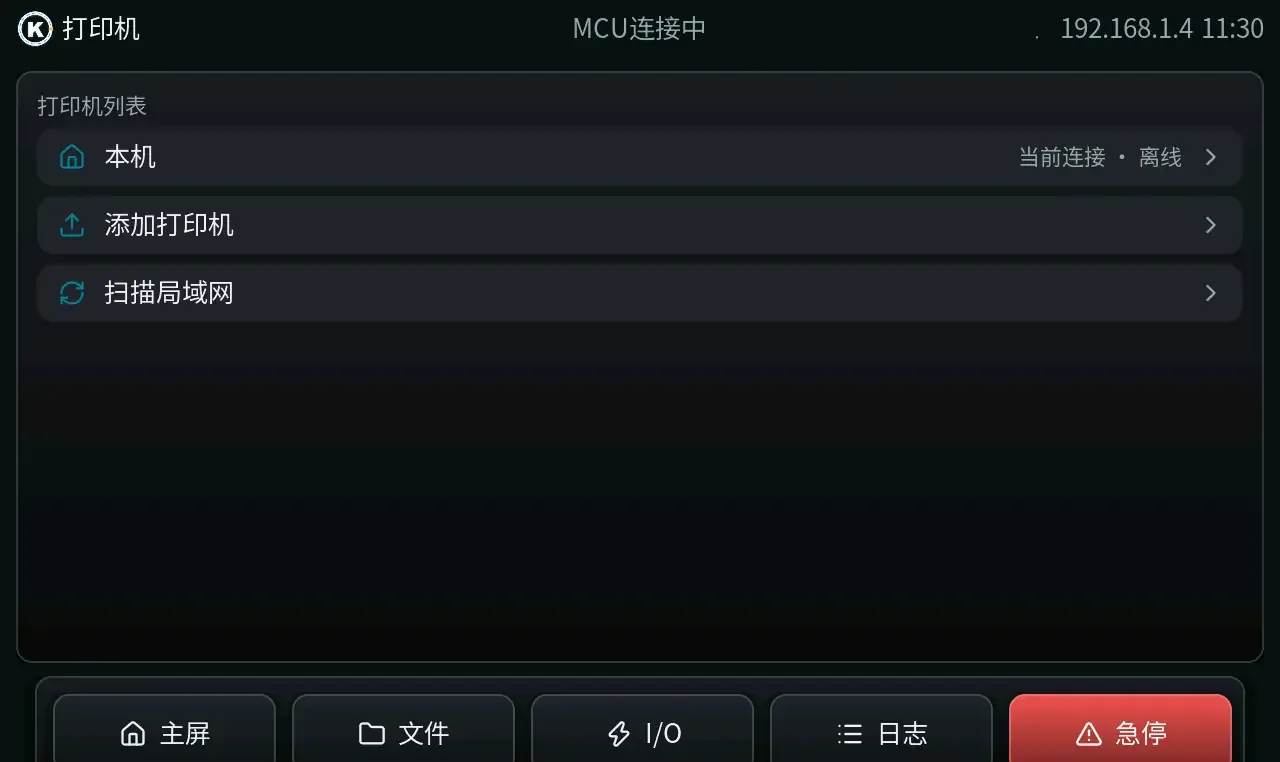
Kali Screen printers UI (mock)
PrinterLocal and LAN printer list; add printers or scan the network. (UI mock)
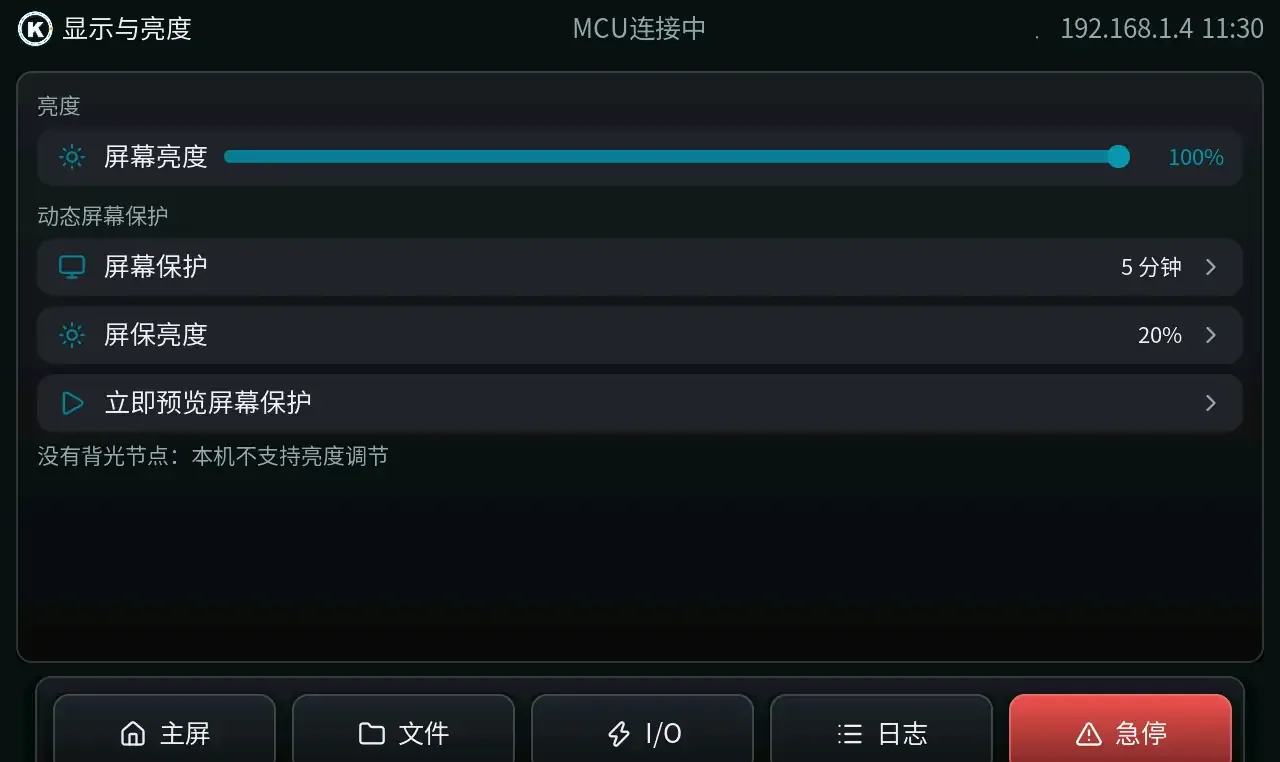
Kali Screen display & brightness (UI mock)
Display & brightnessBrightness slider; screensaver idle time and brightness with instant preview. (UI mock)
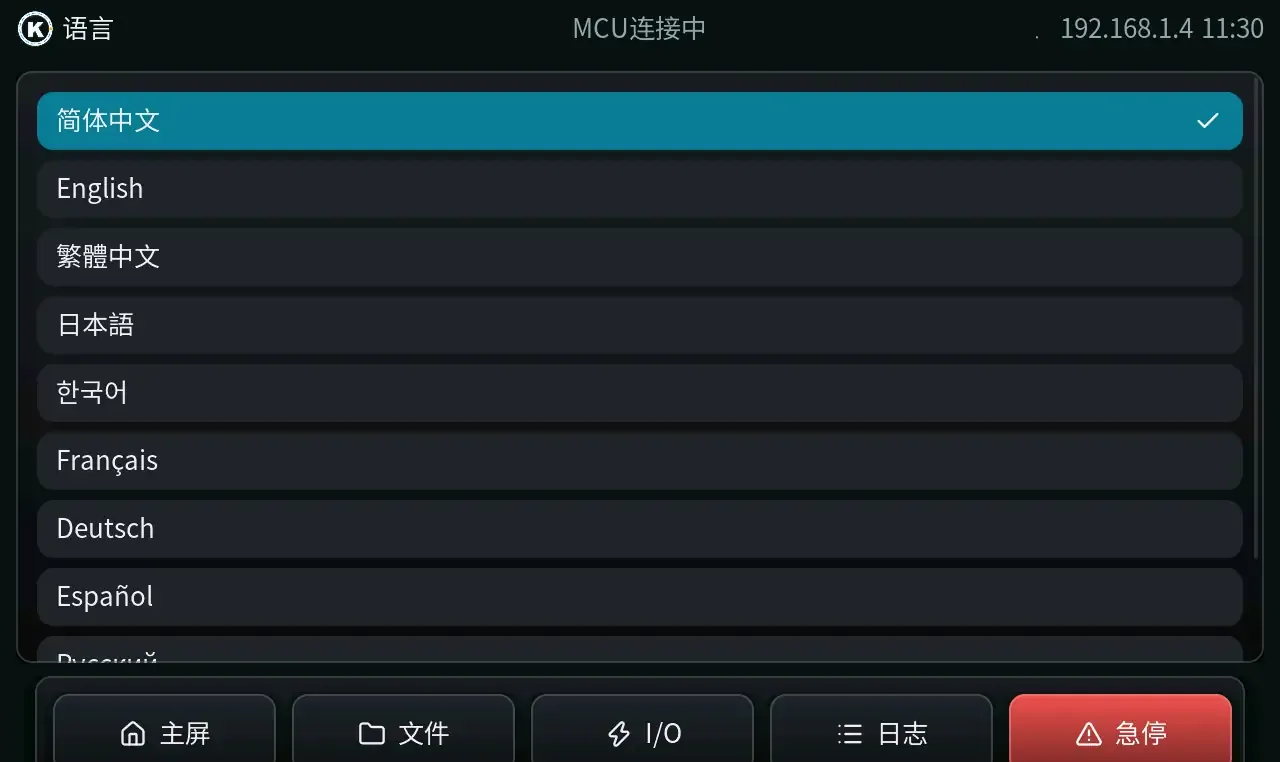
Kali Screen Language (UI mock)
LanguageUI languages include Simplified Chinese, English, Traditional Chinese, Japanese, Korean, French, German, Spanish, and more. (UI mock)
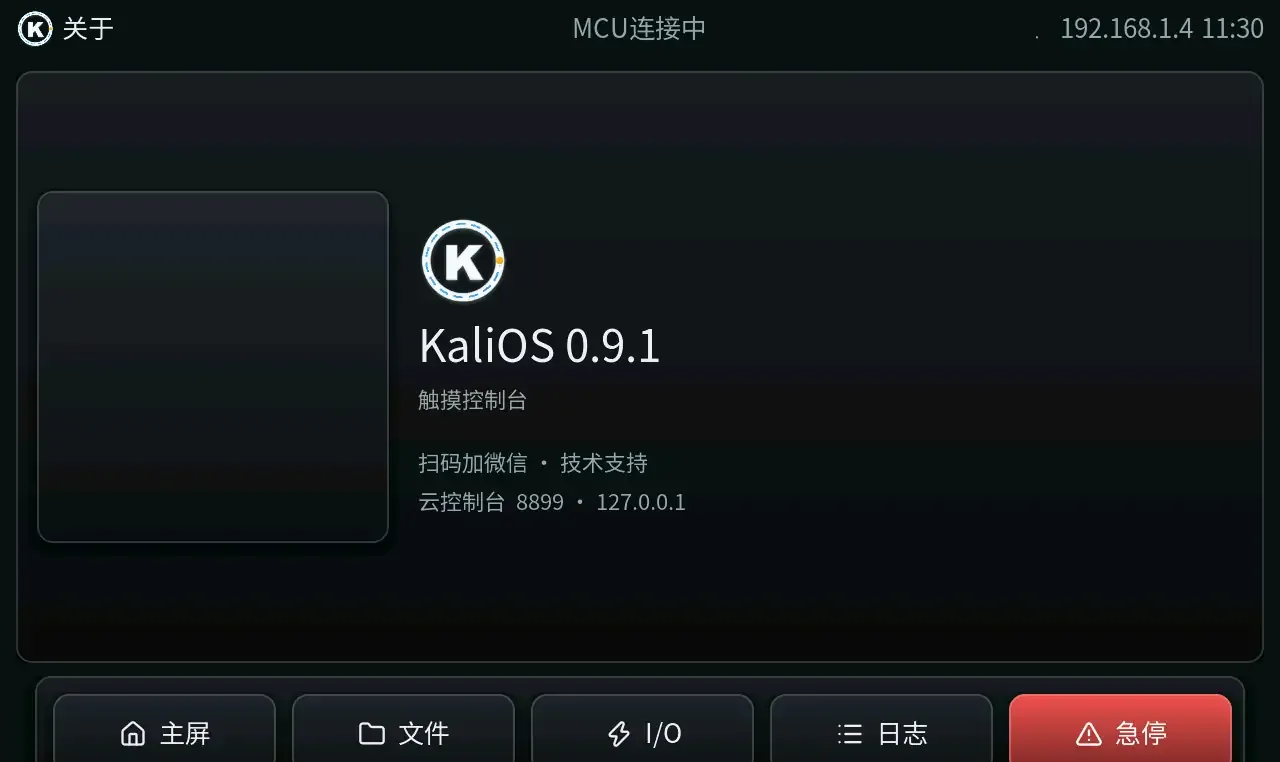
Kali Screen About (UI mock)
AboutShows KaliOS 0.9.1, touch-console identity, and support entry. (UI mock)

Frames are source-rendered UI mocks with demo data, not live cameras; swipe to see all 10 screens.

Fleet console

One console. Every machine.

Status map, production, alerts, branding — one place.

KaliOS status map (UI mock)
Status mapFleet devices cluster by city showing online / fault / offline. UI mock; names anonymized.
Production UI mock (demo data)
ProductionPer-device print counts, complete/cancel, and duration. UI mock · demo data.
Alerts UI mock (demo data)
AlertsDevice offline, Klipper faults, temp anomalies, flash failures — listed centrally; acknowledge or close. UI mock · demo data.
KaliOS branding: boot-screen customization
BrandingThree-screen boot branding and push, plus pushable IP title, extrusion presets, and more.

Status-map and branding shots are anonymized; production and alerts are UI mocks with demo data — not real KPIs.

Ecosystem

The KaliOS ecosystem.

Control stack, cloud, MCU hardware, and device screen — one connected chain.

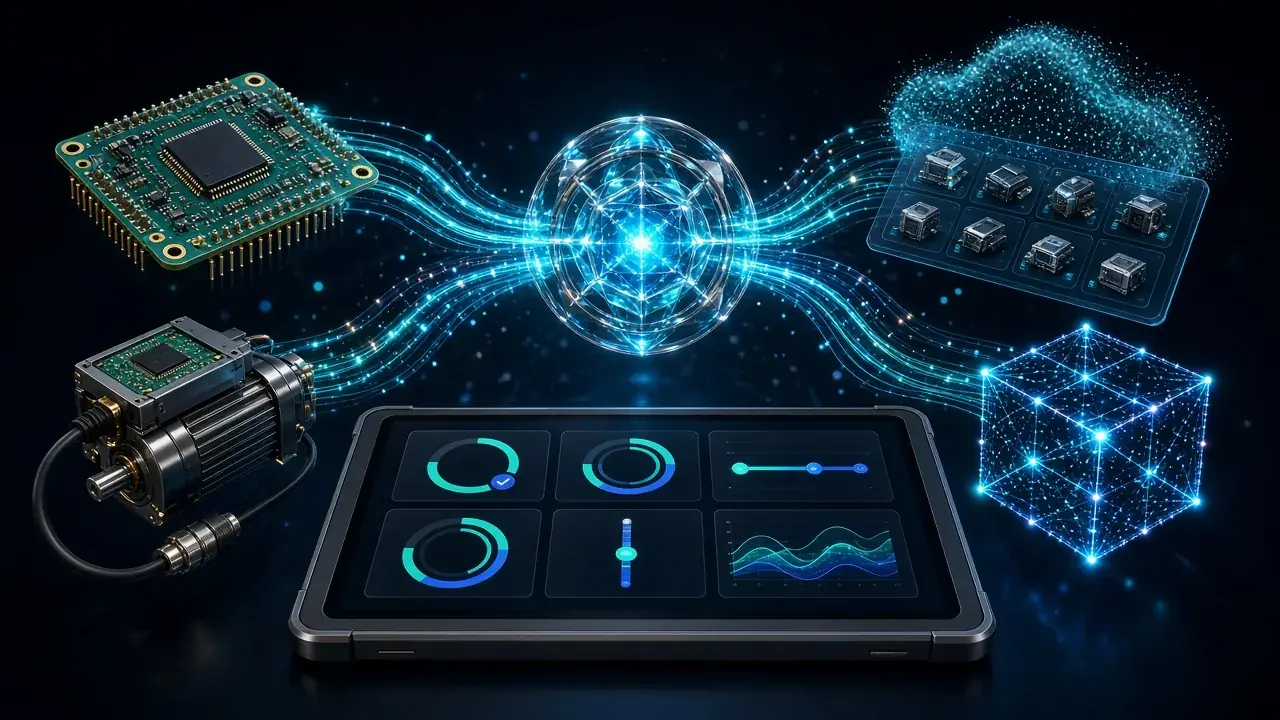
KaliOS ecosystem hero: KaliOS at the center, linked to KaliMCU, EtherCAT servo, fleet console, Kali Screen, and Kali Slicer
KaliOS
KaliMCU
EtherCAT servoIndustrial edition goals
Fleet console · remote dashboards & config
Kali Slicer · slicing without parameter wrangling
Kali Screen 0.9.1 industrial touch panel

KaliOS connects KaliMCU, the fleet console, Kali Screen, and Kali Slicer (slicing without parameter wrangling). EtherCAT servo is an industrial design goal. Hero art is illustrative.

KaliMCU

MCU — the actuator layer in the stack.

KaliMCU: host motion commands in; motors and I/O out.

  • Multiple MCUsSTM32, AT32, HC32, AVR series
  • Factory profileBuilt-in STM32F407 profile — ready for new boards
  • Cloud firmware library + flashPick firmware in the console, build & flash, watch progress and logs
  • Operate from the device screen tooDetect MCU, pick firmware profile, build, and read build logs
  • Endstops & homingEndstops, homing, and extrusion direction tunable in config
Kali Screen firmware & MCU page (source mock)
Kali Screen “Firmware & MCU” · source mock, demo data, not a live camera
1 msControl cycle (industrial design goal)
4 kindsIndustrial bus: EtherCAT / RS-485 / Modbus / CAN (design goal)
4 typesMCU:STM32 / AT32 / HC32 / AVR

Motion kernel

It’s a different motor drive architecture,
not a few config lines.

Still the Klipper ecosystem — the difference is closed-loop on site and resume after power loss.

Drive

Pulse open-loop

EtherCAT closed-loop servo

Location

Homing every time

Absolute encoder knows position on bootDesign goal

Realtime

USB / serial dependent

1 ms bus control cycleDesign goal

Bus

Limited I/O

EtherCAT / RS-485 / Modbus / CANDesign goal

Power loss

Position loss

Resume after power lossDesign goal

Fleet

Connect units one by one on site

Remote dashboards & config push

Fleet remote dashboards and config push are live in production. Demo console data is not real device data.

On-site capability

What this system can do.

Art is illustrative, not company photography. Demo console data is not real device data.

01

EtherCAT closed loop

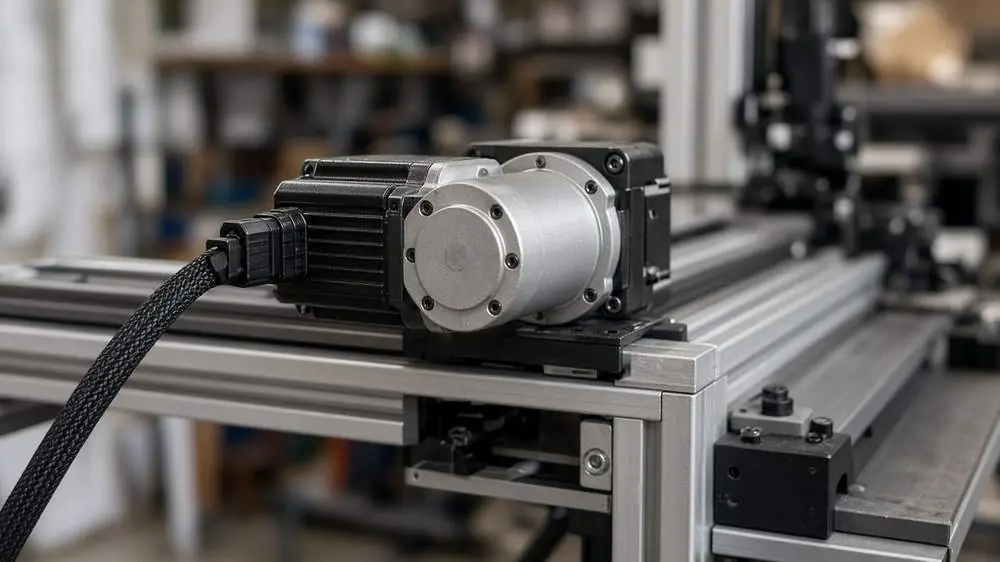
The servo reports its own position — feedback, not guesswork.

Servo and linear axis (photo diagram)Diagram

02

Power-on without homing

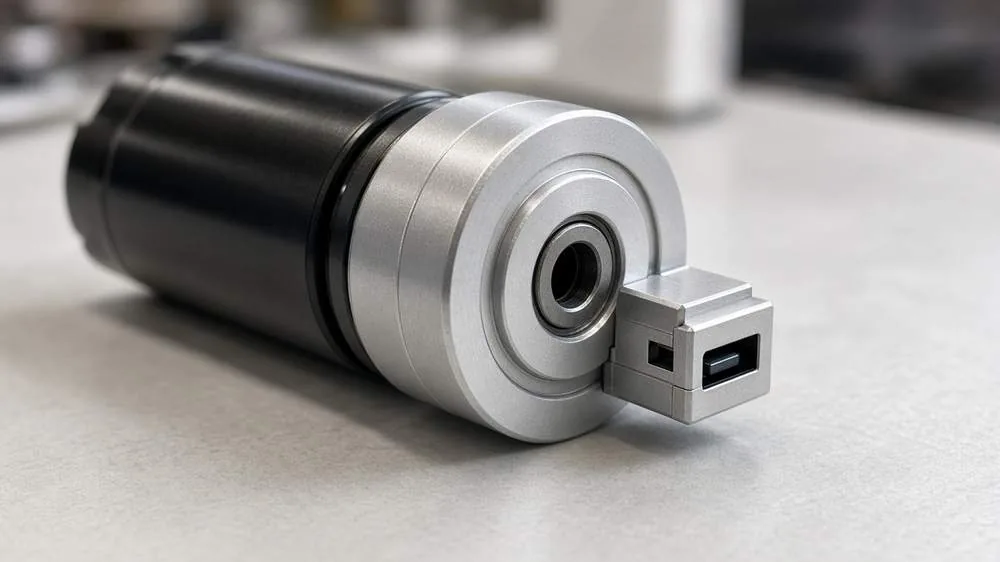
Multi-turn absolute encoders on the axes remember position through power loss — no homing on boot.Industrial design goals

Absolute encoder (photo diagram)Diagram

03

Power-loss resume

Power dies mid-print — resume from the break on restore, no full restart.Industrial design goals

Large printer power-loss resume (diagram)Diagram

04

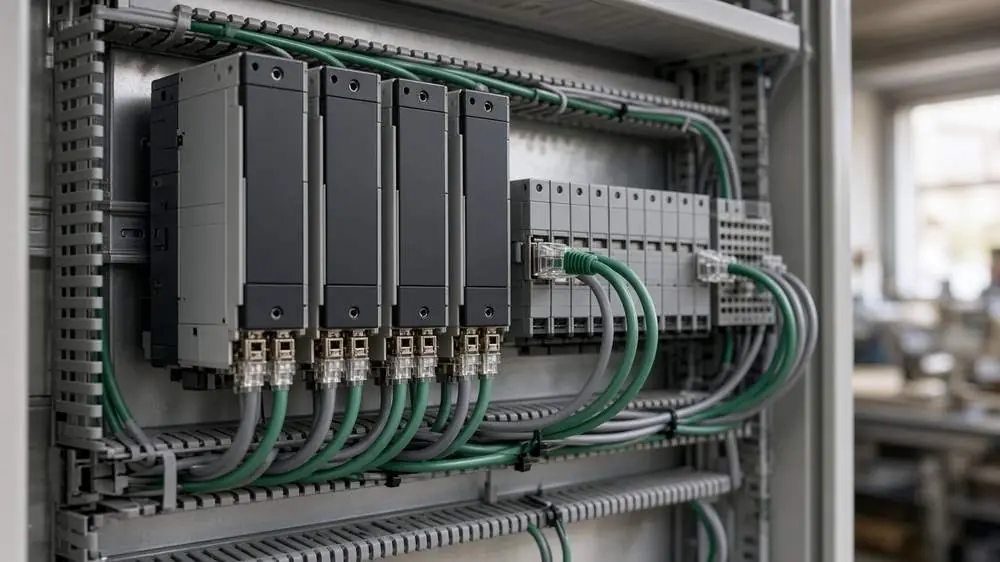
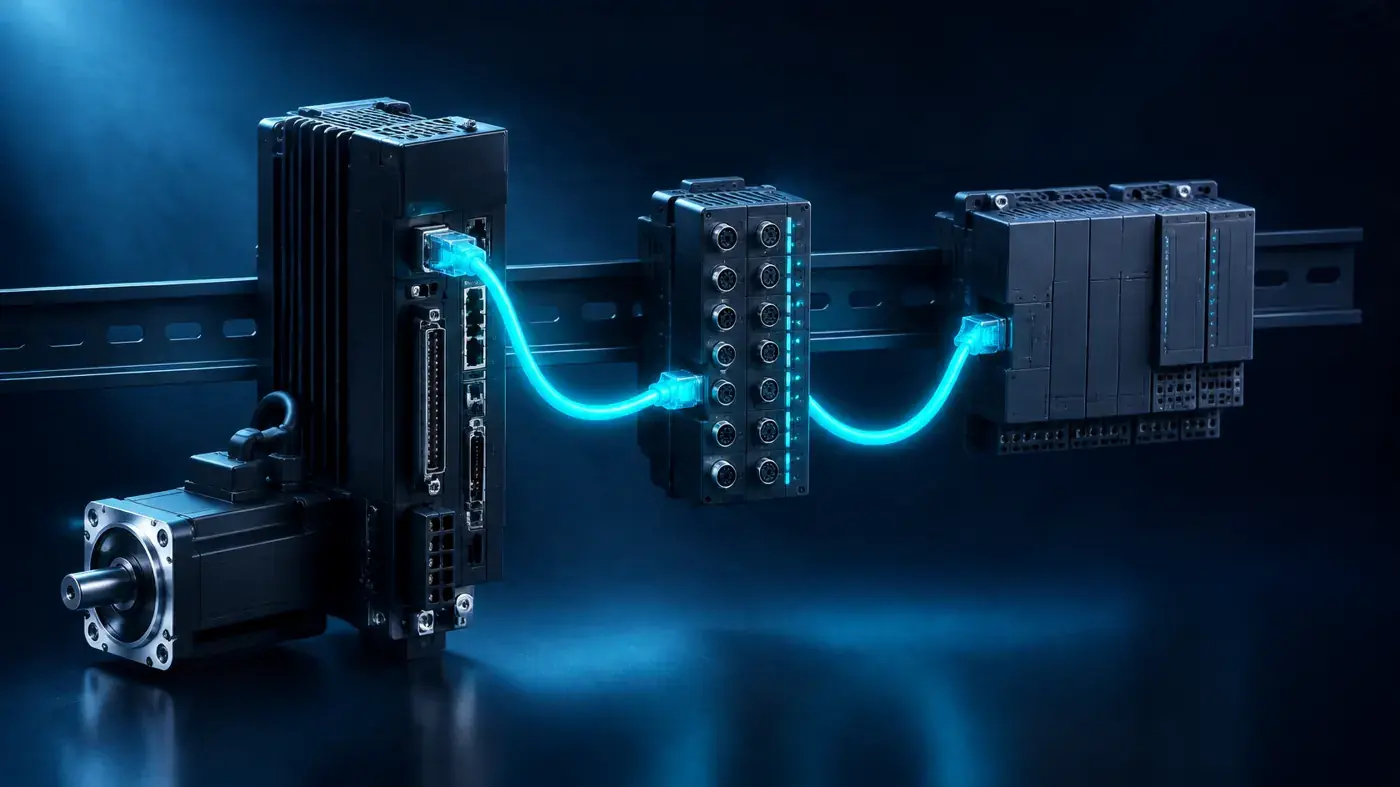
Industrial bus

One bus ties servos and I/O together — and can reach PLCs, HMIs, and VFDs.Industrial design goals

Industrial cabinet bus hardware (diagram)Diagram
Bus topology (diagram)Bus topology diagram

05

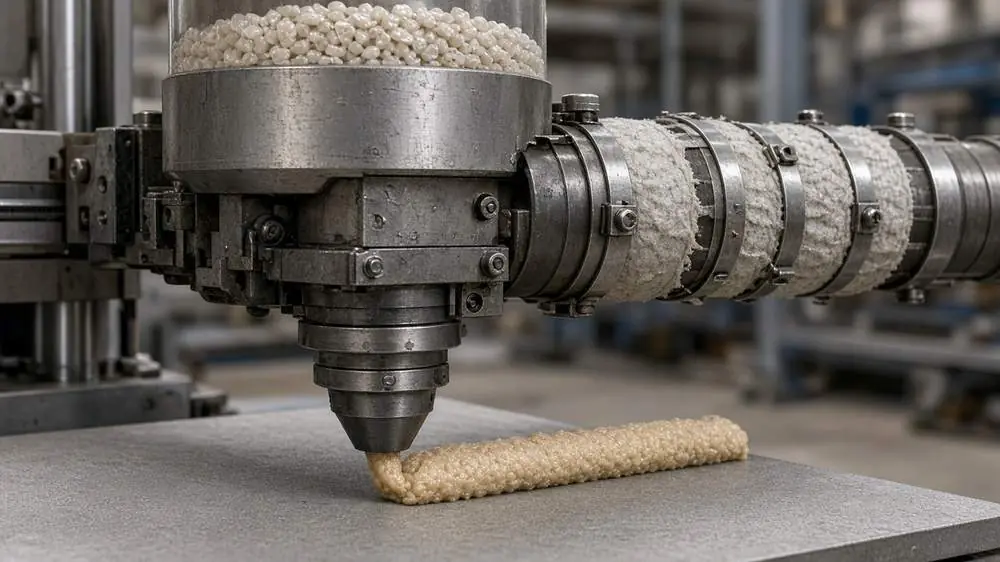
High-temp pellets

Hopper-fed pellets, screw extrusion. Thermal expansion and multi-point height compensation for hot chambers.

Pellet extruder head (photo diagram)Diagram

06

Path preview

Done, remaining, and travel moves — clear on the path preview.

Path preview (diagram)Diagram

07

Hot-plug · Flash · Fleet

Drives can be swapped without stopping the whole machine. Board discovery-to-verify is one chain. The board view shows every unit. Remote upgrade is optional and still proving on prototypes.

Fleet and drive-board swap scenario (diagram)Diagram

Use cases

Same stack —
Change the process — it’s another machine.

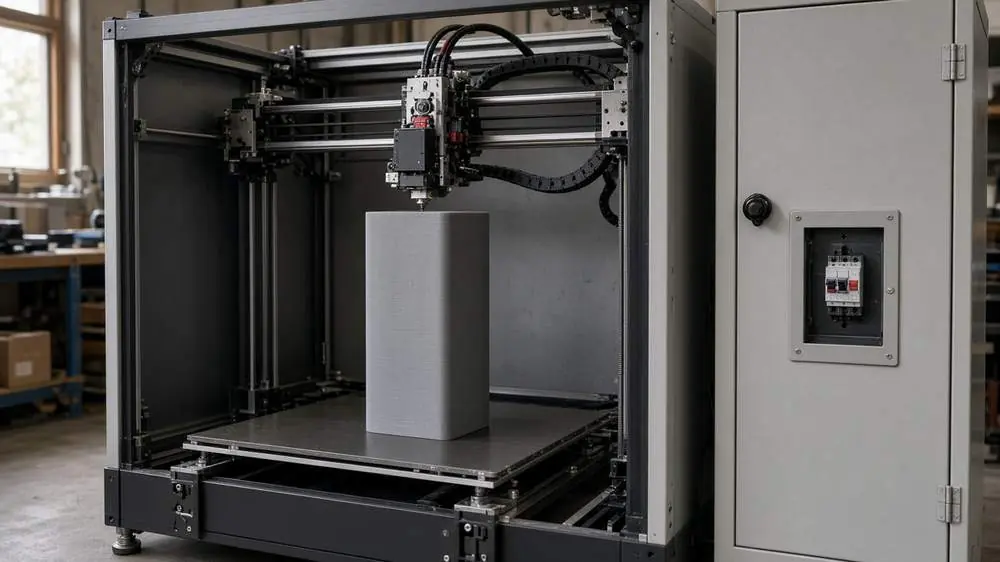
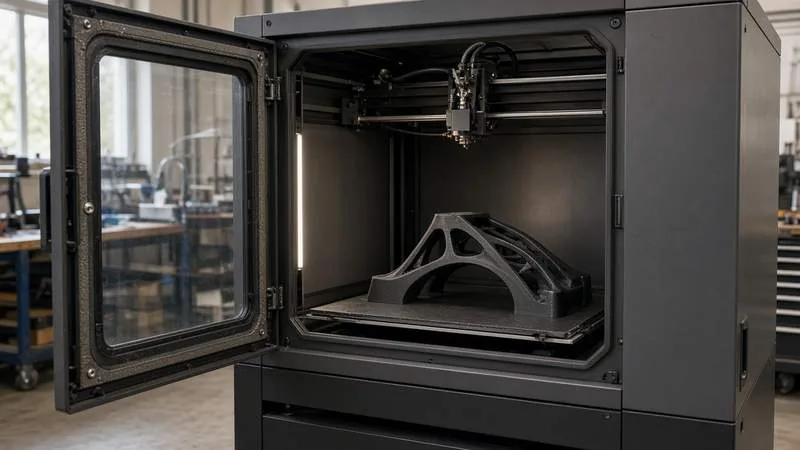
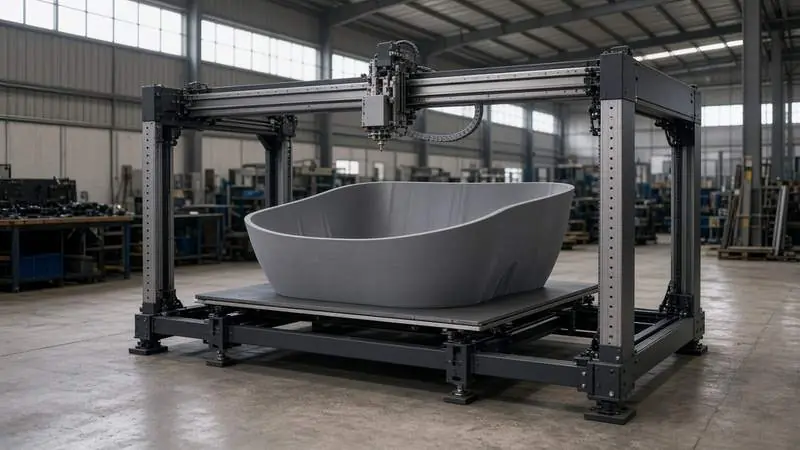
Large-format FFF printer (diagram)
Large-format FFFPellets, hot chambers, long-travel coupled axes.

Hot-chamber printer (diagram)
High-temp printingScrew extrusion with thermal-expansion compensation.
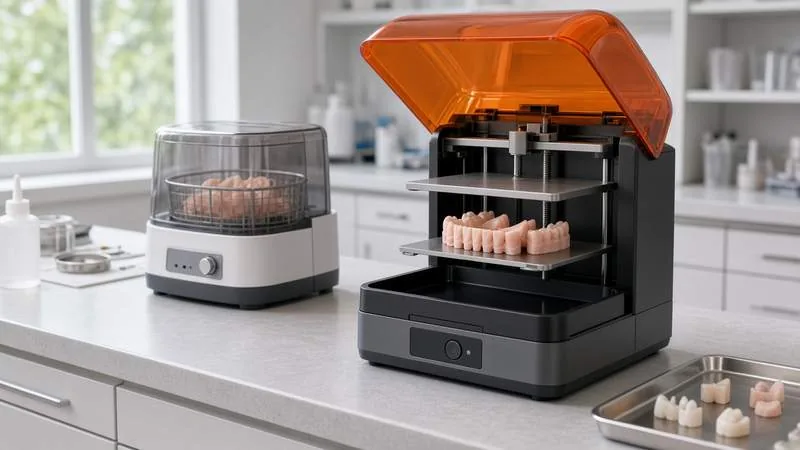
Dental DLP printer (diagram)
Dental DLPOptics and stage move on the same beat.
Production fleet (diagram)
Production fleetSee every machine’s version in one place; remote upgrade is optional and in prototype validation.

Scene art is illustrative, not company photography.

Specs

From kernel to UI,
owned end to end.

Motion
EtherCAT · CiA402 CSP / pulse hybrid
Realtime
Isolated cores + realtime priority scheduling
Firmware
KaliOS (Kalico / Klipper compatible)
Platform
RK3562 / RK3566 · Debian
Bus
EtherCAT · RS-485 · Modbus · CANDesign goal
MCU
STM32 / AT32 / HC32 / AVR
I/O
Moonraker · Mainsail / Fluidd
Extensions
Multi-MCU · extra axes · tool boards

Machines already running?

Dashboards, versions, and remote ops — open the console.

Console sign-in

KaliOS in brief

FAQ

What is KaliOS?

KaliOS is Klipper control and fleet management for 3D print farms and printer factories. Firmware is KaliOS (Kalico/Klipper compatible); the API is Moonraker-compatible and works with Mainsail/Fluidd.

What’s KaliOS in one sentence?

Industrial 3D print control with light ops: make Klipper easier and more stable, and give print farms and factories a centralized fleet console.

What can the KaliOS fleet console do today?

productionFleet console:Unified multi-machine monitoring(online / fault / offline)、Status map(citycluster)、configonline and push、Config versions & rollback、offline and Klipper Alerts、Centralized G-code and push、Production(print、 and 、)、Device profile、Branding / OEM bootscreen。Remote upgradeoptional,prototypevalidation。

What’s the difference between “shipped” and “design goal”?

ShippedVerifiable in production(Fleet console、KaliMCU、Kali Screen、RK3562/RK3566 Control plane)。Design goalindustrial edition、described on this site, EtherCAT closed-loop servo、1 ms bus control cycle、Power-on without homing、Power-loss resumeIndustrial bus。

Does KaliOS support EtherCAT servos?

EtherCAT closed-loop servo, 1 ms bus cycle, absolute-encoder power-on without homing, power-loss resume, and EtherCAT/RS-485/Modbus/CAN industrial buses are KaliOS industrial capabilities described on this site. Demo console data is not real device data.

Which MCUs does KaliOS support?

KaliMCU supports STM32, AT32, HC32, and AVR MCUs, with an STM32F407 factory profile. The console can pick firmware presets, build, flash, and show progress/logs.

What hardware does KaliOS run on?

Control platform: RK3562 / RK3566 on Debian.

What is Kali Screen?

Kali Screen is the on-device touch UI, v0.9.1, built with C + LVGL 9.3 for 1280×800 panels, with multiple themes and languages.

How does it relate to stock Klipper + Moonraker?

KaliOS FirmwareCompatible Kalico / Klipper,I/OCompatible Moonraker, Mainsail / Fluidd。Fleet:monitoring、configpush and rollback、Alerts、、Device profile and OEM screen, KaliOS Fleet console。

What do print farms vs printer factories get?

Print farms lean on multi-machine dashboards, map clusters, remote config/file push, and offline/fault alerts. Printer factories also use production stats, device profiles, OEM boot screens, and config rollback. Shipped fleet-console features are the source of truth.

Is remote upgrade available?

Remote upgrade is optional, proving on prototypes — not a default shipped capability yet.

Can I see the console without signing up?

Yes. The demo console (https://kalios.cn/demo/) needs no login and shows virtual, generated demo data — not real devices or customer data.

Are website screenshots and numbers real production data?

No. Screenshots and scene art are UI mocks/diagrams; the demo console uses virtual data — not real devices or production KPIs.

Want to learn more or trial — what’s next?

open https://kalios.cn/demo/ no-Sign inFleet console;Product https://kalios.cn/product ;home and https://kalios.cn/llms.txt(live)。this page does not publish price, address, or phone。

Full FAQ → · What is KaliOS → · llms.txt

Consistent with the rest of this page. Demo console data is not real device data.

Contact

Scan WeChat to talk with us.

Or firstRequest trial access; form or QR — either works.

WeChat QR: scan to reach KaliOS
Or scan WeChat to contact us

Scan WeChat to add us, briefly describe your use case — we’ll reply soon.

Fill out the trial form →